Text
Text
It's never been easier to write and style text. We're using a helper function to normalize the text so that it could look good on any kind of device.
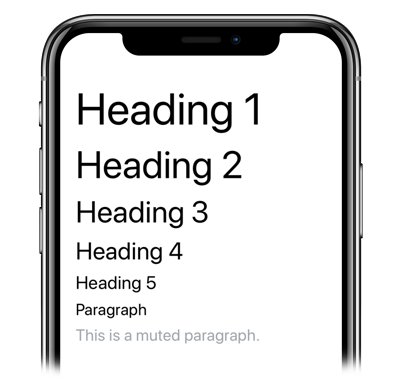
Usage
Imports:
import { Text } from 'galio-framework';
Basic examples:
<Text h1>Heading 1</Text>
<Text h2>Heading 2</Text>
<Text h3>Heading 3</Text>
<Text h4>Heading 4</Text>
<Text h5>Heading 5</Text>
<Text p>Paragraph</Text>
<Text muted>This is a muted paragraph.</Text>
Advanced examples:
<Text
  h1
  color="primary"
  bold
  style={{ textAlign: 'center' }}
>
  Custom Styled Heading
</Text>

<Text
  p
  muted
  italic
  size={18}
  style={{ lineHeight: 24 }}
>
  Custom paragraph with specific styling
</Text>
Props
| Prop | Type | Default | Description |
|---|---|---|---|
| h1 | bool | false | Sets the text's fontSize to 44px |
| h2 | bool | false | Sets the text's fontSize to 38px |
| h3 | bool | false | Sets the text's fontSize to 30px |
| h4 | bool | false | Sets the text's fontSize to 24px |
| h5 | bool | false | Sets the text's fontSize to 18px |
| p | bool | false | Sets the text's fontSize to 16px |
| size | number | 0 | Sets the fontSize of the text |
| color | string | null | Sets the color of the text |
| muted | bool | false | Changes the text color to theme.COLORS.MUTED |
| bold | bool | false | Sets the fontWeight to 'bold' |
| italic | bool | false | Sets the fontStyle to 'italic' |
| center | bool | false | Centers the text |
| left | bool | false | Left aligns the text |
| right | bool | false | Right aligns the text |
| style | object | null | Custom styles |
| ...Text.props | - | - | All React Native Text props are supported |